Showing posts with label Editing. Show all posts

Jan 6, 2014

APPLE RELEASES NEW MAC PRO -- Our Take On the Matter

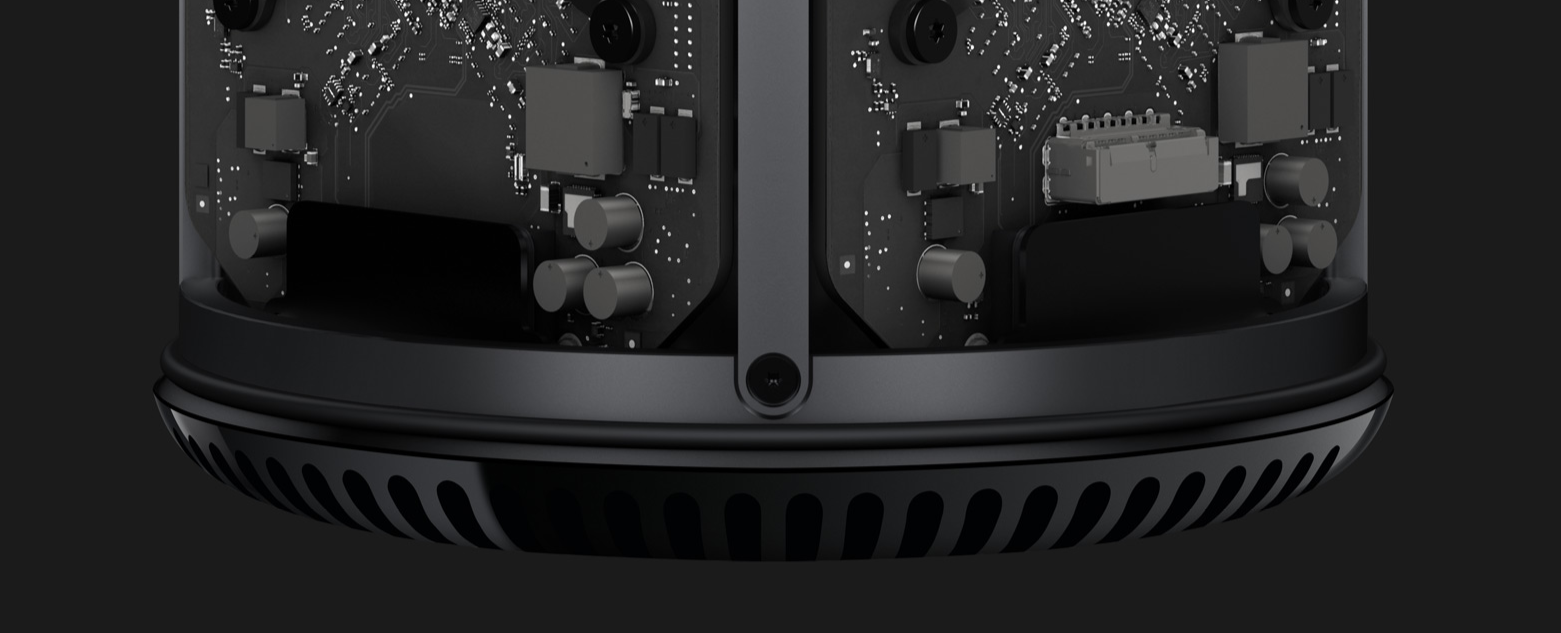
It was just over a week ago that Apple began shipping its newest edition of its Mac Pro computer and the creative world is teaming with opinions.  We've been reading first impressions, laughed at parodies and watched reviews and op-eds like WIRED, MacRumors, The VERGE.  There's one thing in common, everyone loves it...and hates it.


We went to the Apple Store at Fashion Place in Salt Lake CIty--the new shiny story at City Creek didn't have one--last week to put it through the paces with some of our 5k footage we shot in Morocco [watch some here] in October.  That's about where anything interesting ends.  Turns out that unlike a car company that shows you the car that has every option imaginable added to wow you, Apple's stores show you the entry, base, boring model.  I think you get a clear picture.  It got more embarrassing from there.  Apple just updated it's Final Cut Pro X software to 10.1, which means it is optimized for the new steroid-infused CPU and GPU and 4k cinema, only they don't have it installed on any of their machines, including the new Mac Pro.  Our Apple business rep was rosy in the cheeks.

Now we don't use FCPX, we migrated to Adobe's Premiere Pro CS6--are avoiding CC--and are migrating again to AutoDesk's SMOKE, so even if the Mac Pro had Apple's current software we wanted to test the machine with software we use.  Well--awkward pause--we couldn't install any software on the new Pro.

That's a long story to get to the point that, we didn't get much of anything out of our hands on with the Mac Pro.  Let's move past that and get a little more hypothetical and presumptive.  And be forewarned, you probably won't learn any major revelation here, but you will walk away with one more perspective.

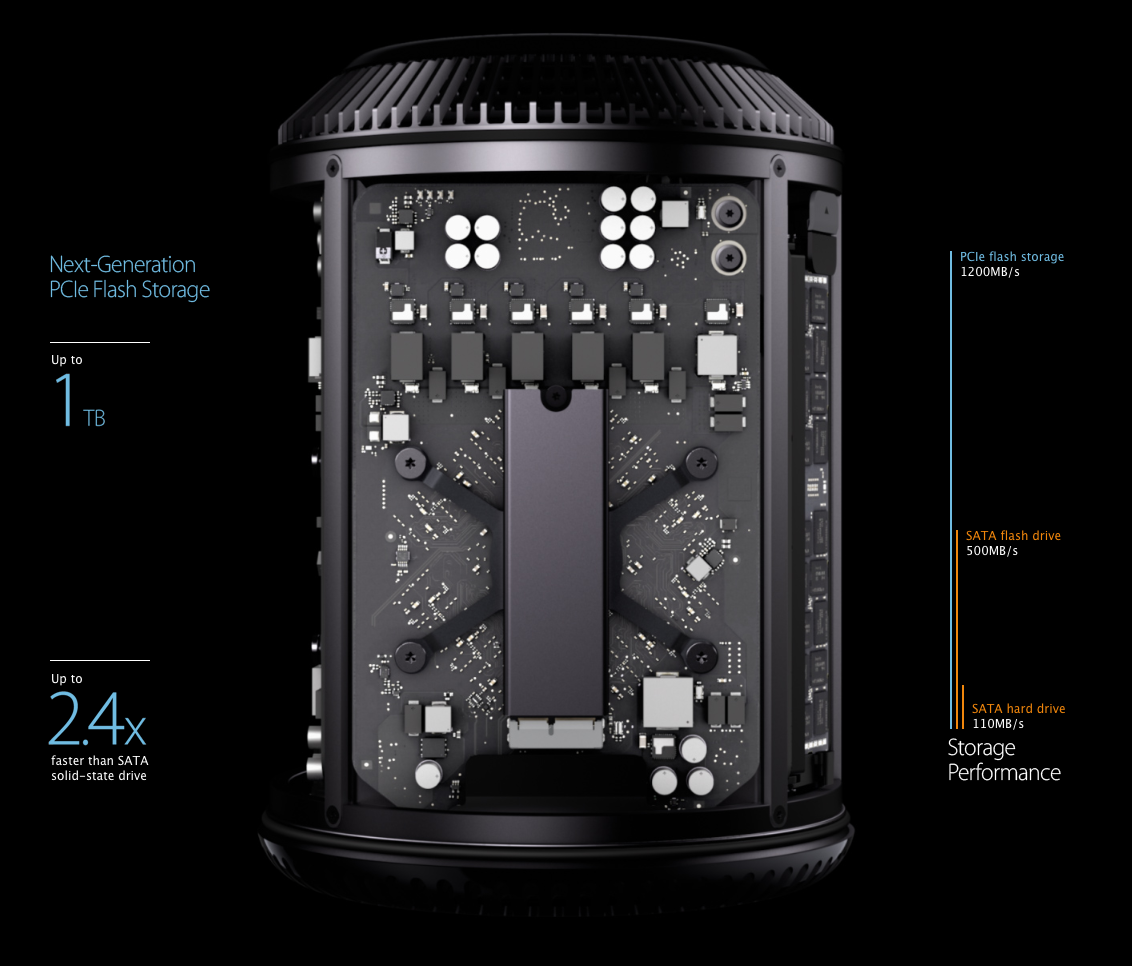
Digital cinema professionals don't store their digital cinema projects on their computers.  So having only 1TB of storage internally doesn't create a problem.  And with it being the newest make of SSD (solid state hard drive) it is very responsive.  Applications, searches, tasks...they all happen very <emphasis added> quickly.  What is unfortunate are a few changes that have taken place which are different and yet to be determined  pro or con.

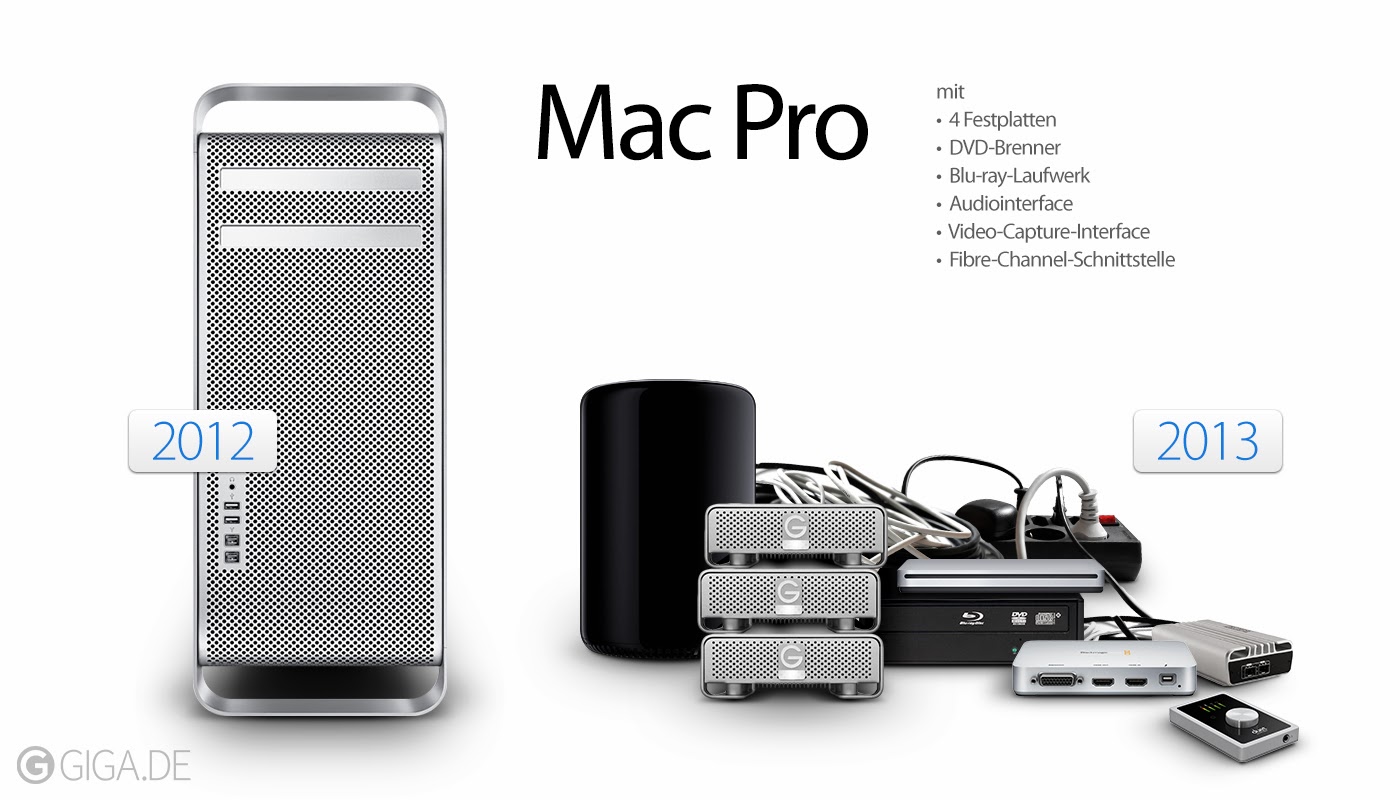
External docs, drives and chassis offer extreme customization but  also create a mess for the workspace.  Things like SANLink and ThunderLink offer thunderbolt to fiber connectivity. Sonnet Tech, MacSales, Magma and others give you a million and one--number is not proven and maybe slightly exaggerated--ways to add and connect hardware to your edit suite.  Gone are the days of hiding it in a larger silver cheese grader box.


Now what about working on footage, photos or sorting your Word docs?  How does the workflow standup to the connectivity changes.  We have iMac's, MacMini, MBPros and MacPros connected to our of our arrays.  It is a 72TB SAN and we edit 5k footage we film with our RED EPIC.  We use thunderbolt to fiber converters, AFP and 1GbE and it all works pretty seamless.  So, having not yet hooked up a new Mac Pro, we are under the assumption that it will be a fairly simple integration.

Where we're excited is to see how quick we can get read/write speeds to our array with Thunderbolt2 and a SANLink2.  Hooked up to a Thunderlink box at 8Gb speeds we had r/w speeds floating at 750MB/s.  That's pretty quick.  Will it be faster with the new hardware?  We'll let you know.  If you don't have a SAN you would have a Pegasus2 or equivalent for individual suite work.  Even through AFP and gigabit ethernet you can share a lot of data efficiently.

Its unfortunate that Apple eliminated PCIe slots, settled for 1GbE, didn't spring for HDMI 2.0 and created Medusa...roll with the punches.

The new Pro has been proven to be upgradeable, thanks to OWC's teardown.   Companies like AutoDesk, Adobe, AVID will need to rewrite software to take advantage of 16GB GPU power and 12 core processing.  Maybe that will eliminate the need for RED ROCKET, Kona cards or the like.  But don't expect it in the first few quarters.

When we've had ample time to do a real hands on with legitimate software and workflow assets we'll write an update to this.  In the meantime, get eat a nice salad and think happy thoughts.

*images are not owned by sansom media but pulled from the sites listed [apple.com, Sonnet, Promise Technology macrumors.com, macrumors.fr, makeuseof.com, blog.gaborit-d.com, pix-geeks.com, technabob.com]




Aug 29, 2013

April ~ May ~ June ~ July ~ August

Who likes photos? Well we have plenty, to help keep your reading to a minimum, showing a bit of what we have been up to and recapping the past four and a half months, pictures and links to finished pieces below.


PF Chang/Studio Party

Tim Irwin/Beard

Rich Froning/...Who is Rich Froning? for Rogue

Chris Spealler/Athlete profile for Rogue

The wall/Studio

Reclaimed wood desk/Studio

Rich splitting logs/Who is Rich Froning? for Rogue

Dana Dolly w/ EPIC/commercial for Rogue

Dawn drive to Salt Flats/Commercial CrossFit

Shoot n Cut/Rogue at 2013 CrossFit Games for Rogue

Keeping gear light/2013 CrossFit Games for Rogue 

Interview setting/Scott Pruett Interview for Oakley

Huh? / Commercial for Rogue

Tim with custom lens hood extention

Office reclaimed / installed

Office reclaimed / installing (not us)

Interview set / Scott Pruett interview for Oakley

Interview set 2 / Scott Pruett interview for Oakley

Interview location / Ray Flores portrait (directed by Tim Irwin)

Marsdon, EPIC, Helo, Car / Commercial for CrossFit


Edit suite / commercial for Rogue

Final review / commercial for Rogue

Filming a new branding video in Boulder / commercial for APEX by Sunglass Hut


Dudes / CrossFit Games for Rogue


Jun 11, 2011

2011 Reebok CrossFit Games - SouthWest Regionals // Day 2


The sun has set here in Aurora, a suburb of Denver, Colorado.  It is the end of day two and we are cranking away at wrapping the highlight reel.  It's been a really good region to produce.  I added Tyson Maughan to my unit and it has been extremely helpful.  He's a DP but has taken the reigns of processing all the footage from my cameramen, logging it and pulling selects to give to Kyle Kebert.  They're really cranking through stuff and I couldn't be happier.  Kyle is a great editor.  He edits for ESPN and he's just a stallion.  I'd take him on my unit any day of the week.

Yesterday's video was, I think, one of our best pieces so far.  Check it out HERE.  Today's will be even better.  Great footage, lots of drama, rain and tears.  I'll get you a link when they post it.

For the geeks reading, we've managed to land a fiber/Gigabit/blow your socks off Ethernet connection.  We effectively download 70MB and upload at 30MB.  It took us 8 minutes to upload a 2.5GB video file to the FTP site.  Not bad and certainly much better than the .5MB speeds we had at the Maple Leafs Hockey rink last week in Toronto.  Here's DAY 3 wrap up video.  I may have been editing the last two (men's 5 and 6) at 6am after my editor fell asleep and I felt a little kooky at the end.

I should probably get back to producing or something more helpful to my editors, whom I love.

Jun 2, 2011

UPDATED: Multi-Machine - Infield Log, Transfer and Edit Network with One Mirrored RAID

Today we're talking local server networking with computers using a Mirrored RAID set, Mac computers and Final Cut Pro.  This will work with Final Cut Pro X when it comes out.  In fact when you no longer have to transcode things your life will be much nicer.  The big thing here is hardware and how its set up.  Below I've included the copy for how to set up your server and best practices when using it.  Can anyone draw?  A diagram would be nice but not from my hand.  I have no creative drawing abilities in my bones.


Let me know how this works for you and if you have any suggestions to improve it.  I've used it and love it.  It can be adapted and modified to meet your specific needs and workflow.  I prefer to offload raw footage to the drives using ShotPut Pro and then work off a copy of the footage.  I'll have myself or lead editor working while I have the assistant pulling broll and whatnots.  When that isn't possible this workflow is exactly what you need.


There are images at the bottom of the post that you can download and use as a visual reference.


**** A somewhat important point not to forget with the Mirrored RAID work flow: when ingesting footage from the secondary (laptop), the editor on the primary (MacProo) needs to manually drag (import) the media that has been logged and transferred to the RAID into their FCP project.  Even though they are working on a FCP files that is the exact same name, the files are stored on two different machines (each machine creates it's own autosave of it's project) meaning the footage doesn't automatically poputlate on the FCP project NOT ingesting the footage.  Ideally with bins matching the file structure on the RAID. ie. Day 01 // 09_23 card 01_a // (media clips).****


-_-_-_-_-_-_-_-_-_-_-_-_-_-_-_-_-_-_-_-_-_-_-_-_-_-_-_-_-_-_-_-_-_-_-_-_-_-_-_-_-_-_-_-_-_


NETWORKING: EDIT WITH TWO COMPUTERS FROM ONE DRIVE
For best results use a MacPro with separate FW800 Busses, front and back
Set up two hard drives — one on the front FW800 buss and the other on the rear FW800 buss. Open disk utilities and select each new volume and partition to one volume. Do each one twice, for good measure calling one shoot_region_a and shoot_region_b (short names, lower case and no spaces is ideal).


NOW select shoot_region_a and select RAID (seen in blue above). From the left column select the two hard drives shoot_region_a & shoot_region_b and drag them into the white box to the right. Youʼll want to tell it to automatically rebuild -- this is found in options... Once it has completed this, there will be only one drive on the desktop of the MacPro.

NEXT plug an ethernet cable between the two machines -- the MacProʼs have two so you can still connect hardline to the internet to upload content to an FTP or whateve -- and open System Preferences on the MacPro and select sharing under the Internet & Wireless section. Tick the File Sharing box. When you have a green light youʼre done. You can, if youʼd like, to name the computer as per your needs. ie. MacPro or Main.


Repeat this File Sharing process on the MacBook Pro. Maybe label the computer name laptop or something. Again, when you have the green light youʼre good to go.

Okay, now in the Finder bar on the laptop (or secondary machine) select Go and then Network.


Youʼll select the MacPro or primary machine and Connect As a register user. Youʼll need to know the admin login name and password for your machines. When you are connected youʼll see a list of the volumes available. Select the Mirrored RAID you created and it will appear as that (unless youʼve change your icons.

You should now be networked to your Mirrored RAID, having access to both machines.

WORKFLOW
This is a setup for direct Log & Transfer and not to be used to copy raw digital files to drives. See Infield Workflow for example.

I suggest using your secondary machine to Log and Transfer your footage and pull broll selects for your editor.
Create a FCP project file and name it exactly what youʼve name it on the principle machine. This makes FCP not confused when it is looking for files as the secondary and primary will be saving and naming everything the exact same. When you ingest footage youʼll want to create a new folder in your scratch disk for each day, ie. Day 01. Then a new folder for each card you offload and I like to label it with the time (military), card number and camera. 08_21 card 01_b. This helps you know when the footage was shot and who shot it.


You can use this same principle in FCP as you ingest and create a bin for each card ingested. Thatʼs youʼre call.

So create new sequences and label them as per your needs and begin cutting selects to those sequences. Once youʼre done pulling the specific work. Create a new FCP Project and label it accordingly. ie. Awesometown Selects. Save it to the Mirrored RAID, close it on your machine and then the principle machine can open it, copy the sequences or whatever makes the editor happy.

• It is wise to change the FCP Autosave to 10 mins from 45.
** This will work with any two Macs -- laptop or desktop or iMac as long as ʻhostʼ is a MacPro with two separate FW800 ports on the front and rear AND you have two separate licenses of Final Cut Pro.
*** Any other questions please ask me.